A rich booth profile
Company, offer, categories, what the team is looking for, documents and video.
 Shake-on
A booth profile, a staff team, lead capture with scoring and notes, and a handoff to HubSpot or CSV, so every exhibitor leaves with leads they can act on.
Free for up to 50 guests. Full matchmaking included.
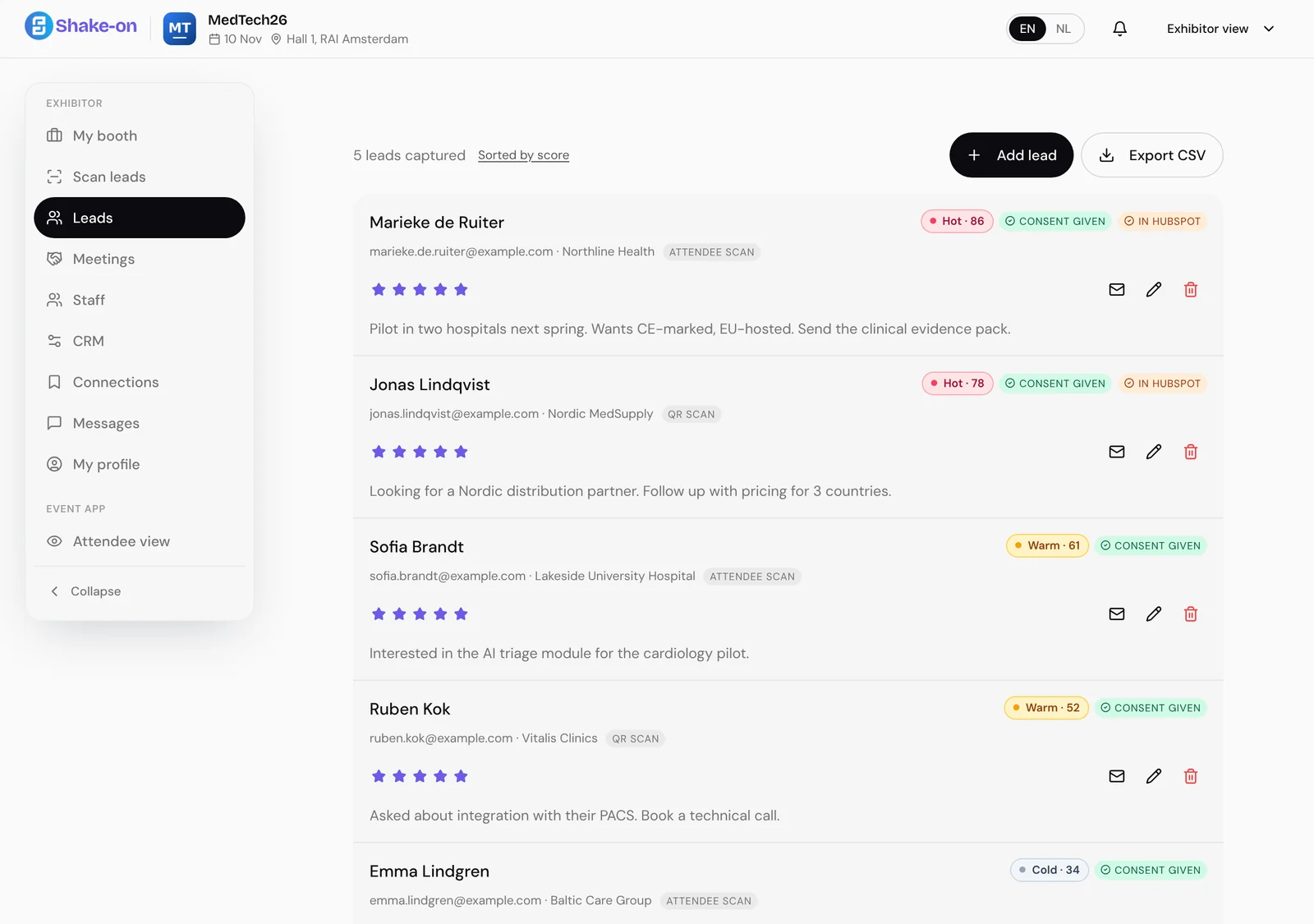

Every lead arrives with what the visitor is looking for, a score with the reasons behind it, and the team’s notes.
Company, offer, categories, what the team is looking for, documents and video.
Invite the team. Everyone scans into the same lead list.
Scan a visitor’s badge or ticket QR code to capture the lead.
Each lead gets a score and the signals behind it, such as engagement, your rating and consent.
Add a note and a star rating, and see whether the visitor gave consent to be contacted.
Export leads as CSV, or connect your own HubSpot and leads land as contacts.
A short chat turns into a summary the team approves. Shake-on then ranks the attendees who match it.
About three minutes with the Concierge, and the team knows who to look out for.
Visitors can book time with the team from their matches.
One tap after each meeting shows which conversations mattered.
After the event, on Professional and up, each exhibitor gets a one-page sheet with traffic, leads and fit.
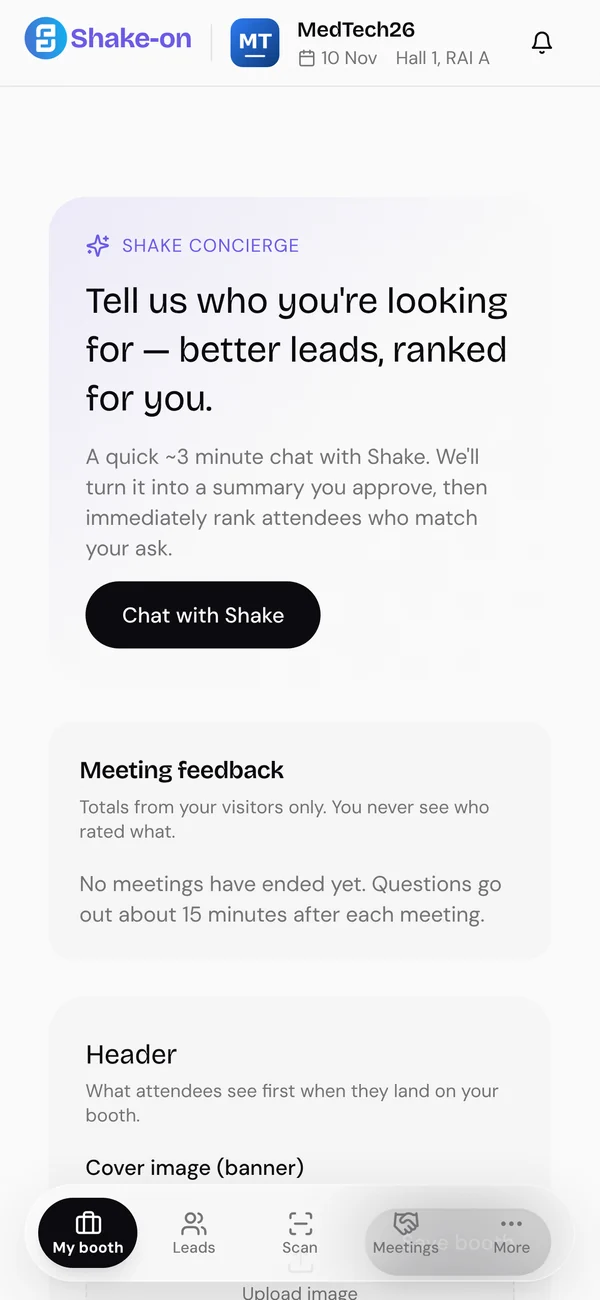
Lead capture is where an exhibitor’s results begin.
Into the exhibitor’s own lead list. They can export it as CSV or connect their own HubSpot.
No. Leads belong to the exhibitor. Organisers see aggregate results.
No. Booth staff scan and manage leads in the event app, in the browser.
See the Shake-on loop on an event like yours. Thirty minutes, with someone who has organised events.
Book a demo ↗Create an event for up to 50 guests, free, with full matchmaking.
Create your free event ↗Registration is a conversation
Looking for
Offers
Marieke needs a Nordic distributor
 Jonas distributes across Scandinavia
Why you should meet
You need a Nordic distributor. Jonas distributes diagnostics to hospitals across Scandinavia and is looking for new suppliers.
Request meetingMarieke de Ruiter, Jonas LindqvistDay 1 · MedTech Europe
14:20
Shake-onnowRecommended stand
They take medical devices through Nordic registration. That matches your Q1 launch.
Show me the way Rasmus · NordReg Advisory
MedTech Europe 2026
Follow-up draft AI
MedTech Europe 2026 · ResultsMeetings per hour
Where demand beat supply
Invite more distributors next edition.
MedTech Europe 2026 · Exhibitor performanceShake-on · Your event recapShake-on · reading event dataWorking…Sent reminders to 184 registrants who haven't confirmed.
Working…Offered 13:15 meeting slots to 138 guests with open matches.
Working…Send a follow-up to 57 no-shows.