Edit in place
Click a heading, a paragraph or an image and change it. Add sections from Components and reorder them in Layers.
 Shake-on
Build your event page right on the page itself, or ask the Copilot for a starter page. Speakers, exhibitors, the programme and registration live in one place, so guests see one event instead of five tools.
Free for up to 50 guests. Full matchmaking included.
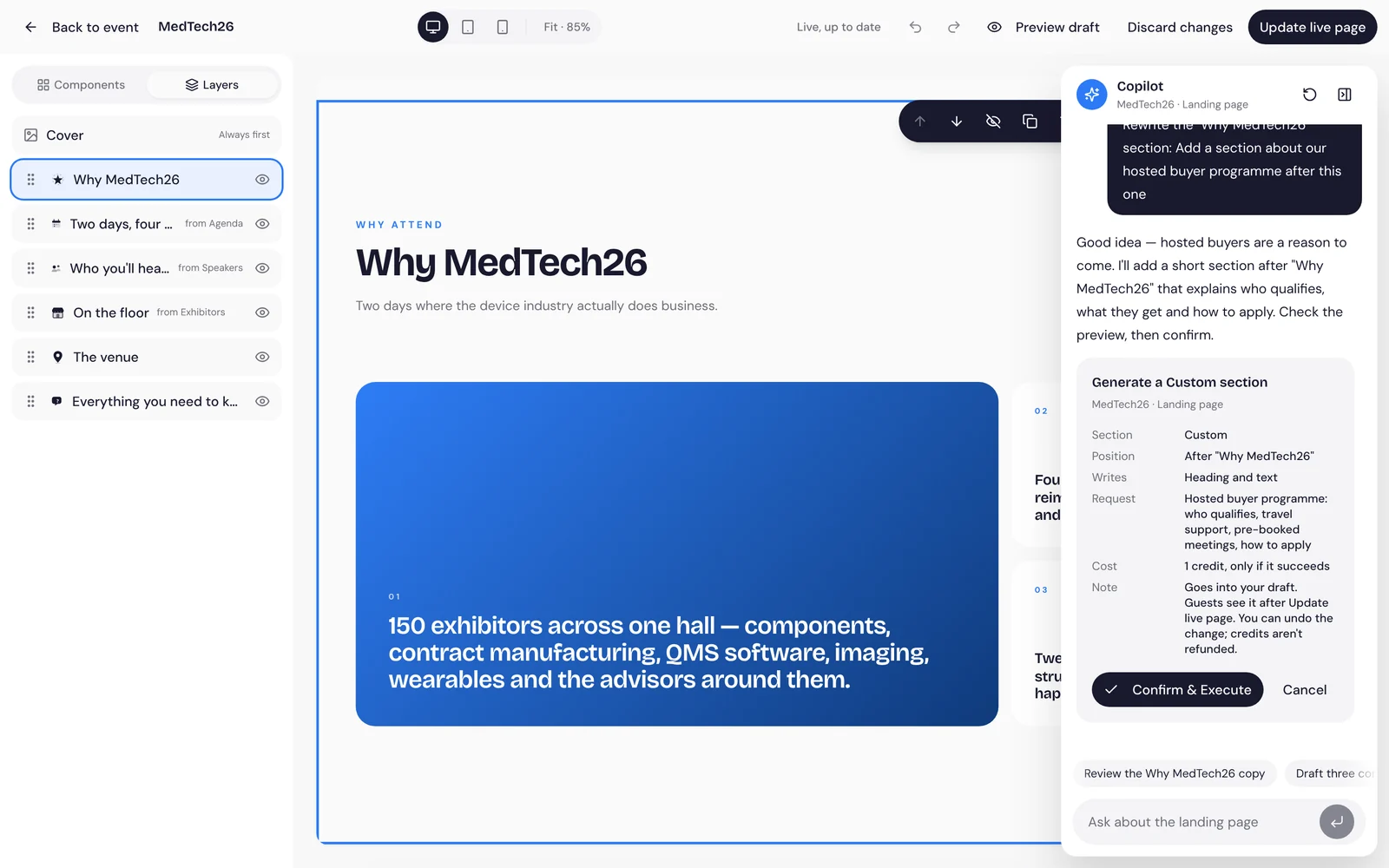
No forms next to a preview. You edit the page itself, and nothing goes live until you say so.
Click a heading, a paragraph or an image and change it. Add sections from Components and reorder them in Layers.
Every change saves to a draft that only your team sees. Preview it, then press Update live page when it’s ready.
Check every size before anyone else sees it, and undo any step along the way.
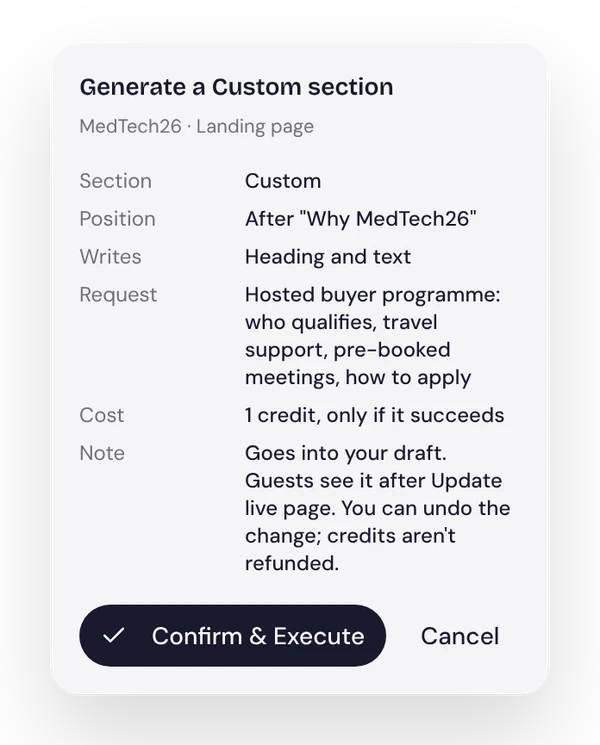
Ask for a starter page, a new section or a cover image. You see what it will make, where it goes and what it costs in AI credits before anything is generated.
Agenda, speakers and exhibitors read from their own tabs, so the page never holds a second copy that goes out of date.
From Essential, your logo and colours carry across the event page and the guest app.
Guests pick a ticket and register on the same page, in English or Dutch. Then the Concierge asks what they came for.
Ticket choice and the guest’s details in one short form.
After registering, guests tell the Concierge what they need and what they bring.
Tracking links show which channels bring registrations.
Most guests open the link on their phone. The page and the form are built for it.
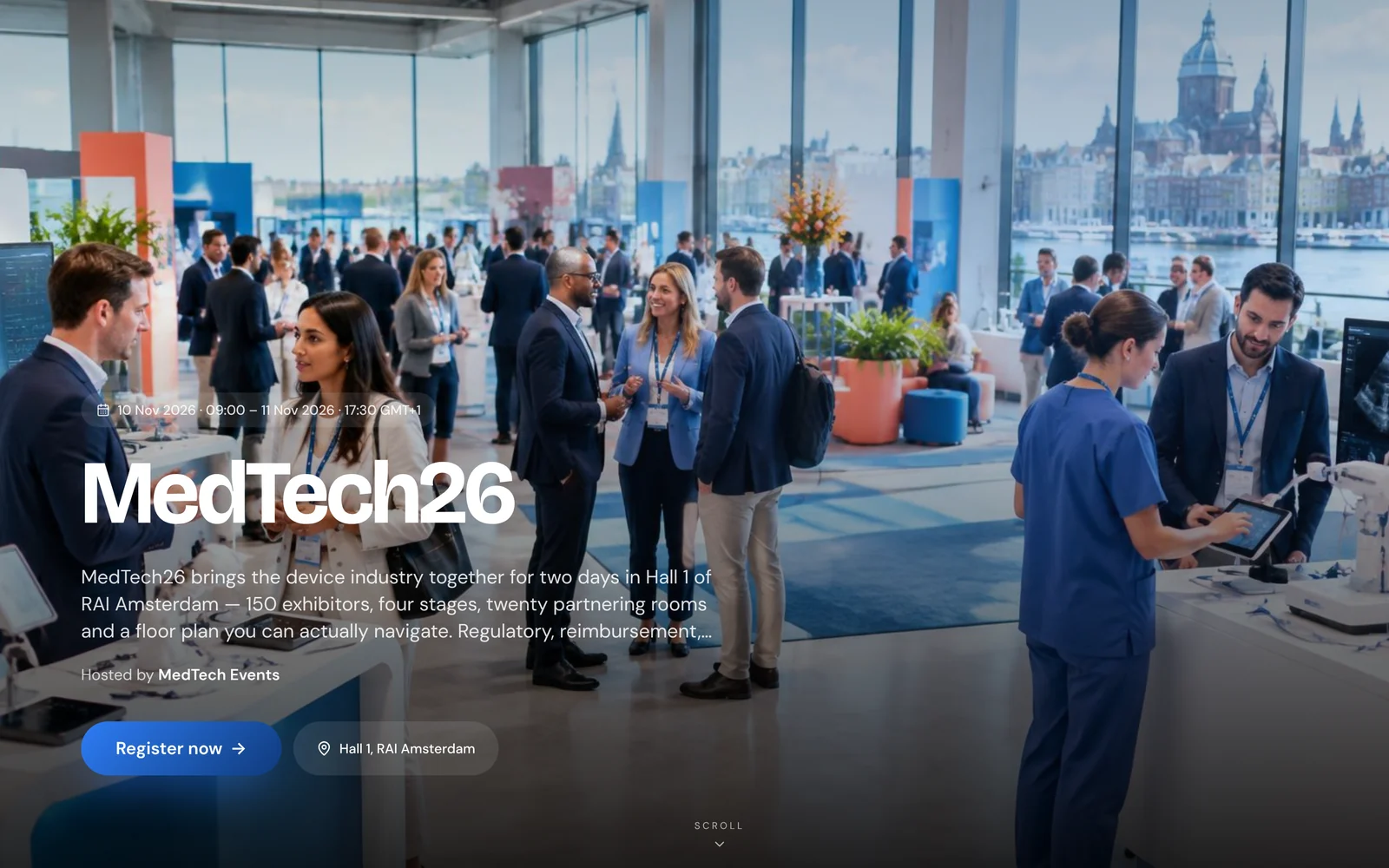
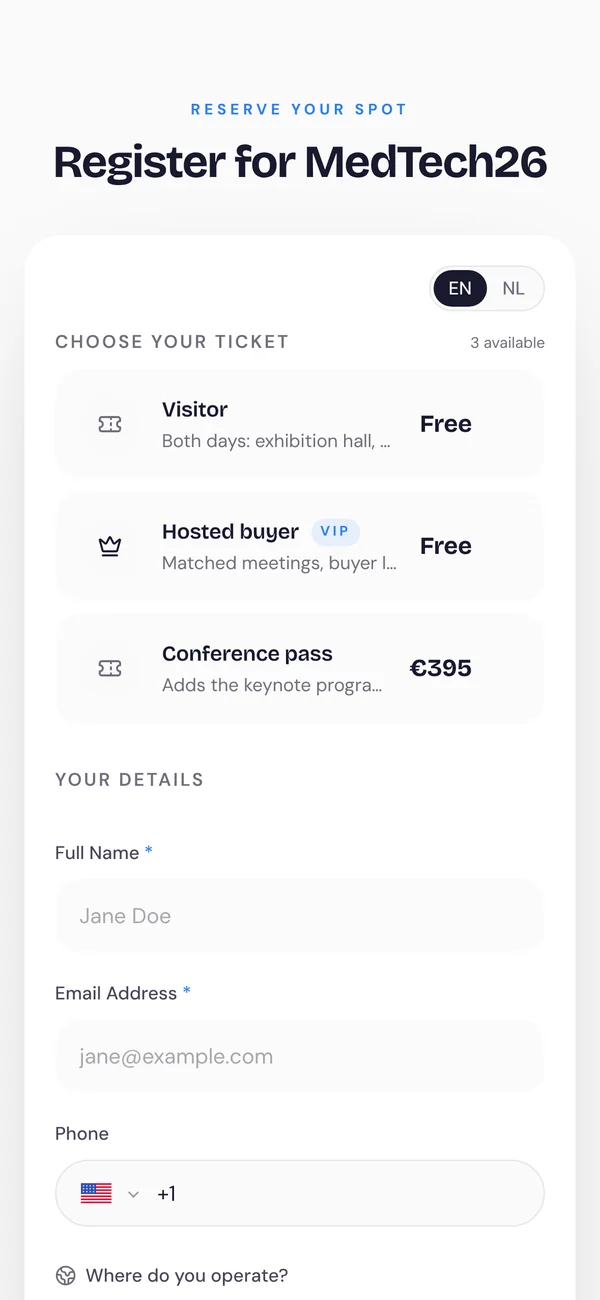
What guests tell you at registration is what Shake-on uses to introduce them.
No. You edit the page itself, start from a Copilot draft if you like, and publish when you’re ready.
Copilot drafts use AI credits. Before anything is generated you see what it will make and what it costs, and you only pay when it succeeds.
No. Edits go to a private draft. Guests only see the page after you press Update live page.
From Essential, your logo and colours are used across the event page and the guest app.
See the Shake-on loop on an event like yours. Thirty minutes, with someone who has organised events.
Book a demo ↗Create an event for up to 50 guests, free, with full matchmaking.
Create your free event ↗Registration is a conversation
Looking for
Offers
Marieke needs a Nordic distributor
 Jonas distributes across Scandinavia
Why you should meet
You need a Nordic distributor. Jonas distributes diagnostics to hospitals across Scandinavia and is looking for new suppliers.
Request meetingMarieke de Ruiter, Jonas LindqvistDay 1 · MedTech Europe
14:20
Shake-onnowRecommended stand
They take medical devices through Nordic registration. That matches your Q1 launch.
Show me the way Rasmus · NordReg Advisory
MedTech Europe 2026
Follow-up draft AI
MedTech Europe 2026 · ResultsMeetings per hour
Where demand beat supply
Invite more distributors next edition.
MedTech Europe 2026 · Exhibitor performanceShake-on · Your event recapShake-on · reading event dataWorking…Sent reminders to 184 registrants who haven't confirmed.
Working…Offered 13:15 meeting slots to 138 guests with open matches.
Working…Send a follow-up to 57 no-shows.